Platform Engineering often involves a cruel irony: the tools designed to accelerate automation eventually become the bottleneck.
In the context of n8n, this bottleneck typically manifests when teams graduate from simple API glue logic to heavy data processing. You build a workflow to ingest a 200MB CSV, sanitize it with pandas, and push it to a warehouse. It works locally. In production, the workflow hangs for 300 seconds and then silently terminates, or the runner container OOMs (Out of Memory) and restarts.
The immediate assumption is that Python is too slow or n8n cannot handle ETL tasks. Both assumptions are incorrect.
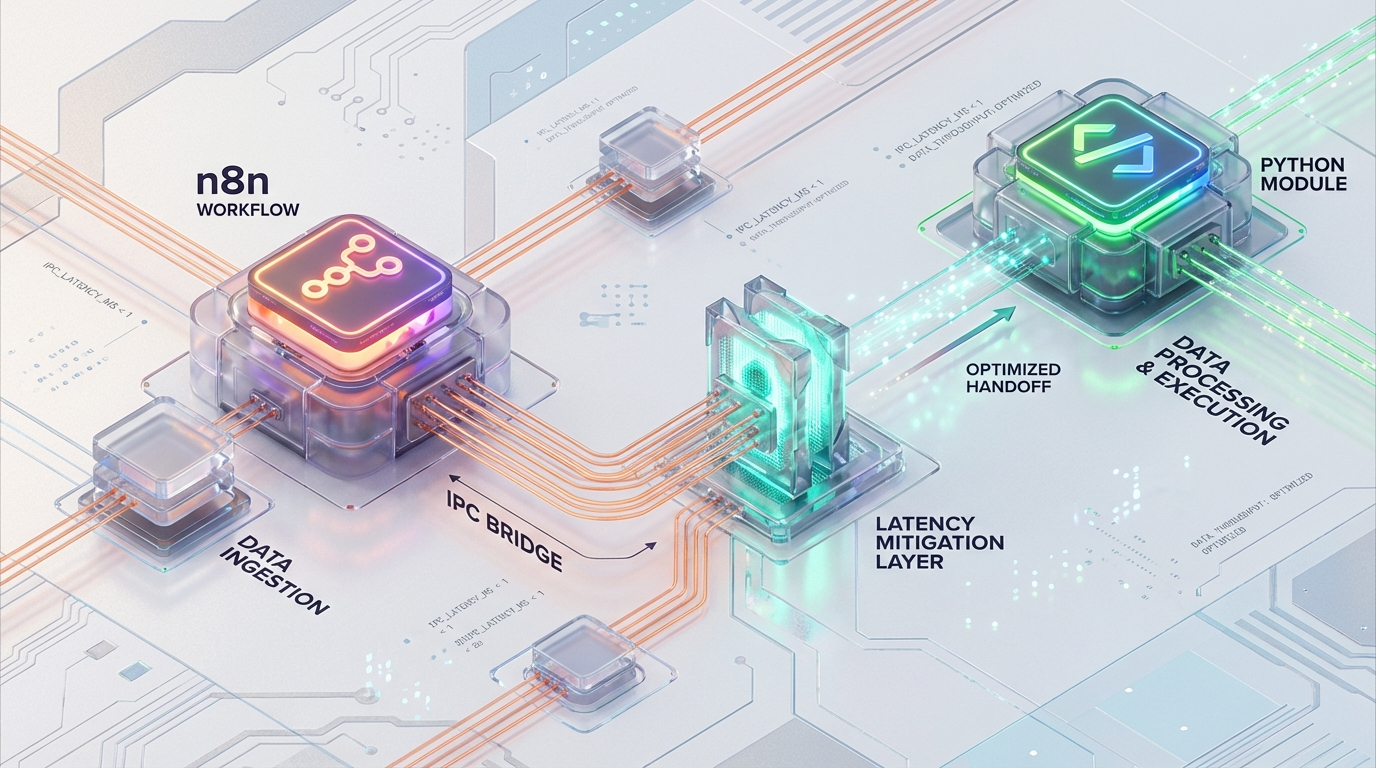
The actual failure point is the Inter-Process Communication (IPC) layer between the n8n Broker (Node.js) and the Python Task Runner. This article analyzes the architectural limitations of n8n’s default data serialization strategy and details a “Pass-by-Reference” implementation using shared storage and memory mapping to eliminate IPC latency.
1. The Anatomy of a Bottleneck: Execution Architecture
Since version 1.0, n8n has deprecated the in-process Pyodide execution model in favor of a strictly decoupled Task Runner architecture. This was a necessary move for security and stability—isolating user code prevents a rogue script from crashing the main application loop.
However, isolation introduces network boundaries.
1.1 The Broker-Runner Relationship
In a production environment (specifically utilizing N8N_RUNNERS_MODE=external), the architecture consists of two distinct entities:
- The Broker (Node.js): The main n8n process. It orchestrates the workflow DAG (Directed Acyclic Graph), manages the execution queue, and handles standard nodes.
- The Runner (Python): An isolated OS process or container responsible solely for executing the code defined in a “Code Node.”
These two components communicate via a control channel (WebSocket) and a data channel (HTTP/TCP). The protocol is strict: Shared Nothing.
1.2 The Serialization Trap
Because the memory spaces are isolated, n8n must serialize the execution context to transmit it from the Broker to the Runner. This is where the bottleneck lies.
The data payload including your workflow’s JSON items and, critically, any binary attachments is serialized into a single JSON object.
JSON Limits: The default N8N_RUNNERS_MAX_PAYLOAD is 1 GB.
Timeouts: The default N8N_RUNNERS_TASK_TIMEOUT is 300s. When you pass a binary file to a Python node, n8n does not pass a memory pointer. It does not pass a stream. It performs a Base64 encoding of the binary data and injects that massive string into the JSON payload.
2. The Triple Penalty of JSON IPC
Transferring data sets larger than 10MB via the default mechanism incurs what we classify as a “Triple Penalty.” This is an accumulation of CPU and memory costs that scales linearly (and painfully) with file size.
Penalty 1: Serialization Cost (Broker Side)
Before the data leaves the Node.js process, the V8 engine must allocate memory to convert the raw Buffer into a Base64 string. This increases the data size by approximately 33%. It then stringifies this into JSON.
Result: A 100MB binary file becomes a ~135MB string, spiking the Node.js heap usage.
Penalty 2: Transport Latency
This massive JSON payload is pushed over the loopback network interface. While loopback is fast, pushing hundreds of megabytes through a TCP socket for every single execution creates substantial I/O wait times, eating into the default 300-second timeout.
Penalty 3: Deserialization Cost (Runner Side)
The Python process receives the JSON stream. It must parse the huge JSON string, extract the Base64 field, and decode it back into bytes before your code even begins execution.
Result: The Python container now also incurs a ~135MB memory spike, plus the memory required for the decoded bytes.
The Theoretical Model: 100MB File
If you attempt to process a 100MB file using the default pass-by-value method, the system footprint looks like this:
Memory Spike: ~140MB+ on Node.js AND ~140MB+ on Python simultaneously.
CPU: Heavy cycles spent purely on encoding/decoding, not on actual business logic.
Latency: Seconds (or minutes) of overhead before the first line of your Python script runs. For a high-throughput platform, this is unacceptable.
3. Engineering the Solution By Reference Data Handoff
To mitigate IPC latency, Platform Engineers must bypass the JSON serialization channel for binary data entirely. We implement a Pass-by-Reference pattern.
Instead of shoving the data through the WebSocket, we place the data in a location accessible to both processes and pass only the coordinates (the file path) via JSON.
3.1 Architectural Prerequisite: Shared Storage
The Broker and Runner must share a filesystem volume. In a Kubernetes or Dockerized environment, this requires mounting a shared volume to /data/tmp (or similar) on both services.
Docker Compose Configuration
Kubernetes Configuration
In K8s, use a ReadWriteMany PersistentVolumeClaim (PVC) if you are running multiple replicas across different nodes. If you are utilizing a sidecar pattern (where the Runner acts as a sidecar to the Broker pod), a simple emptyDir volume mount is sufficient and faster.
3.2 Workflow Implementation
The logic changes from “Pass Data” to “Pass Pointer.”
Step 1: Write to Disk (Broker Side)
Use the standard Write Binary File node immediately before the Python Code node.
File Name: Construct a unique path using the execution ID to guarantee thread safety.
- Example:
/data/tmp/{{ $execution.id }}_input.binAction: Write the binary buffer to the shared volume.
Step 2: Pass Reference (IPC)
The input to the Python node should strictly be lightweight JSON metadata.
The IPC payload size drops from 100MB+ to <1KB. Transmission is instantaneous.
Step 3: Direct I/O (Runner Side)
Inside the Python Code node, you retrieve the file handle.
Pattern A: Standard Read For files that fit comfortably in RAM (e.g., <500MB), a standard read is sufficient.
Pattern B: Memory Mapping (High Performance) For massive datasets (1GB+) or high-concurrency environments, use mmap. This allows the OS to handle paging, providing zero-copy access to the file content as if it were in memory, without actually loading the full file into the Python heap.
Step 4: Cleanup
Crucial step. Since we are bypassing n8n’s internal memory management, we are responsible for garbage collection. Use an Execute Command node (running rm) or os.remove(file_path) at the end of the Python script to prevents disk exhaustion.
4. Configuration for Production
To enforce this pattern and stabilize the runners, adjust the environment variables on the Runner Container.
| Variable | Recommended Setting | Engineering Rationale |
|---|---|---|
| N8N_RUNNERS_MODE | external | Mandatory. Separates failure domains. If the Python runner crashes, the n8n Broker remains alive and workflows are not fully interrupted. |
| N8N_RUNNERS_MAX_PAYLOAD | 50 MB | Artificially constrains payload size. Lowering this from the default 1 GB forces developers to use a “by-reference” pattern for large files instead of relying on inter-process communication (IPC). |
| N8N_RUNNERS_MAX_CONCURRENCY | CPU Cores × 2 | Prevents a single workflow from monopolizing runner resources and starving other workflows in the execution pool. |
| N8N_RUNNERS_MAX_OLD_SPACE_SIZE | 2048 | Sets the maximum heap memory (in MB) for the Node.js wrapper managing the Python process, helping avoid memory leaks and out-of-memory crashes. |
5. Performance Benchmarks: Before vs. After
The following data compares the processing of a 100MB binary file using the default JSON serialization versus the Shared Volume optimization.
| Metric | Default (JSON IPC) | Optimized (Shared Volume + mmap) |
|---|---|---|
| Throughput | Low (~0.1 files/sec) | High (Limited only by Disk Speed) |
| Latency Overhead | 5–10 seconds | < 10 microseconds |
| RAM Usage (Peak) | 3× File Size (~300 MB+) | Constant / Negligible |
| Crash Risk | High (OOM / Timeout) | Low |
| Operational Complexity | Low (Out-of-the-box) | Medium (Requires Volume Mount) |
The difference is not marginal; it is an order-of-magnitude improvement. By removing the serialization step, we convert an O(n) operation (where n is file size) into an O(1) operation regarding memory overhead.
6. Azguards Perspective: The "Hard Parts" of Low-Code
At Azguards Technolabs, we often see Platform teams treat low-code tools like n8n as “black boxes” that cannot be tuned. This leads to unnecessary vertical scaling—throwing more RAM at a container to solve an architectural inefficiency.
The “Task Runner” optimization detailed here is a prime example of applying distributed systems engineering to low-code infrastructure. It moves the constraint from the CPU/Memory (which are expensive) to the I/O layer (which is cheap and fast).
If your team is struggling with n8n performance, experiencing mysterious timeouts with Python nodes, or looking to harden your n8n deployment for enterprise-grade throughput, you are likely hitting these invisible architectural walls.
7. Conclusion
Zero-copy deserialization and pass-by-reference are standard practices in high-performance backend engineering. Bringing these concepts into n8n transforms it from a simple automation tool into a robust data processing pipeline.
By mounting a shared volume and bypassing the JSON serialization layer, you eliminate the “Triple Penalty” of IPC overhead, ensuring your workflows remain stable regardless of payload size.
Is your n8n infrastructure ready for heavy workloads? Contact Azguards Technolabs for a comprehensive Performance Audit. We specialize in the complex implementation of n8n in Kubernetes environments, helping you solve the engineering hard parts so your team can focus on the logic.
Would you like to share this article?